Continuous Monitoring & Vulnerability Detection

Overview
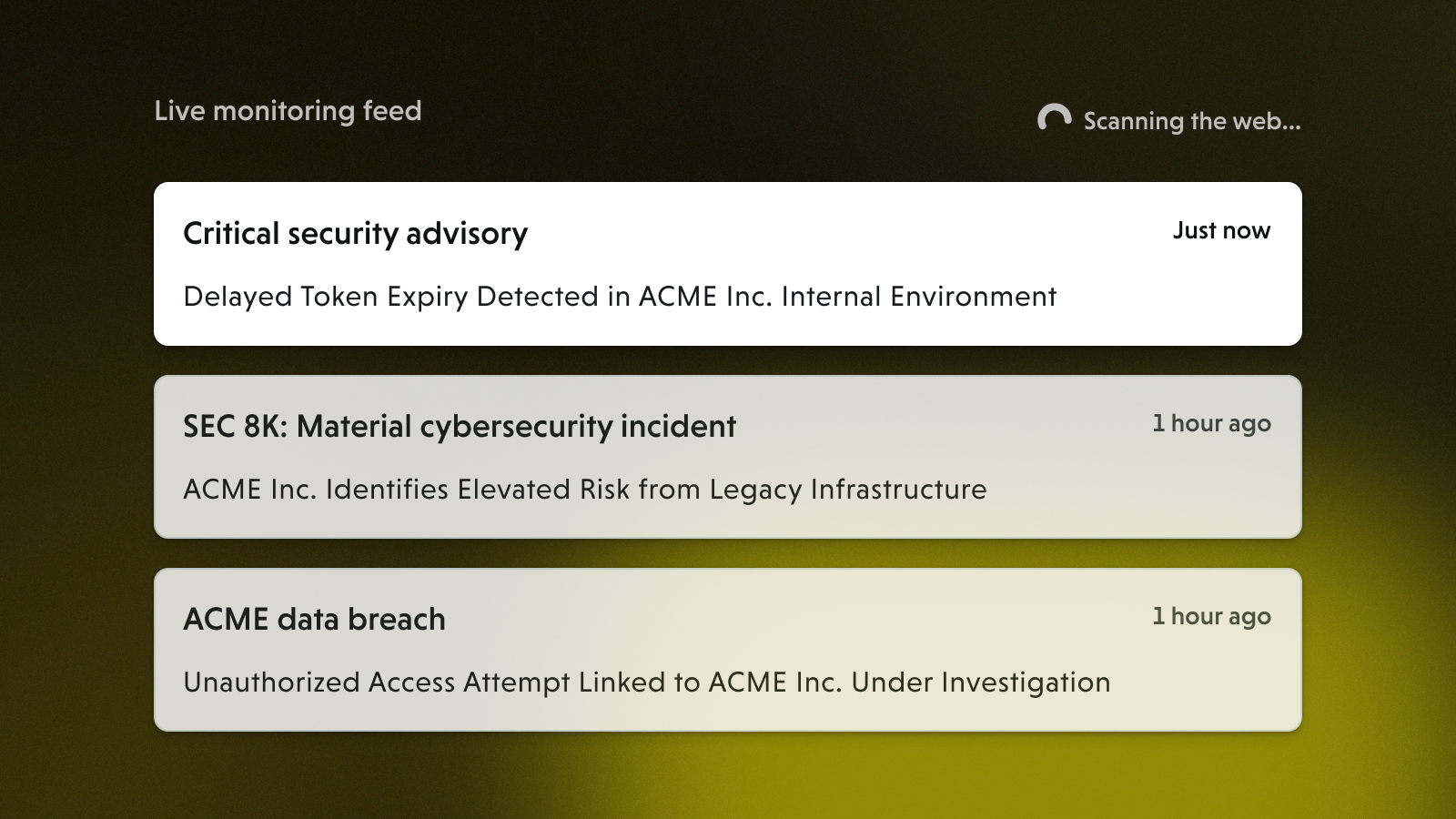
Third-party risk doesn't stand still between assessments. A vendor that passed your due diligence six months ago may have suffered a breach, disclosed a material risk event, or been affected by a critical software vulnerability since then. Continuous monitoring closes that gap — giving your team an always-on view of emerging threats across your vendor ecosystem without waiting for the next assessment cycle.
VISO TRUST continuously scans open source intelligence (OSINT) feeds to surface risk advisories, regulatory disclosures, news events, and software vulnerabilities relevant to your third-party relationships.
Why Continuous Monitoring Matters for TPRM
Point-in-time assessments are necessary, but they only capture a vendor's risk posture at a single moment. Research consistently shows that the majority of third-party incidents occur between assessment cycles — often tied to events that were publicly observable before any damage was done.
A continuous monitoring program lets you:
- React faster. When a breach, regulatory action, or critical vulnerability is announced, you know about it the same day — not at next quarter's review.
- Prioritize intelligently. Not every advisory requires immediate action. Filtering by vendor tier, advisory type, and severity score lets you triage what actually matters for your organization.
- Demonstrate program maturity. Regulators and auditors increasingly expect evidence of ongoing oversight, not just periodic check-ins. A documented monitoring workflow supports that evidence.
- Extend your view to the supply chain. Your risk isn't limited to direct vendors. VISO TRUST can surface advisories and vulnerabilities relevant to nth parties — the subservicers and technology providers that your vendors rely on.
The Monitoring Page (Program Level)
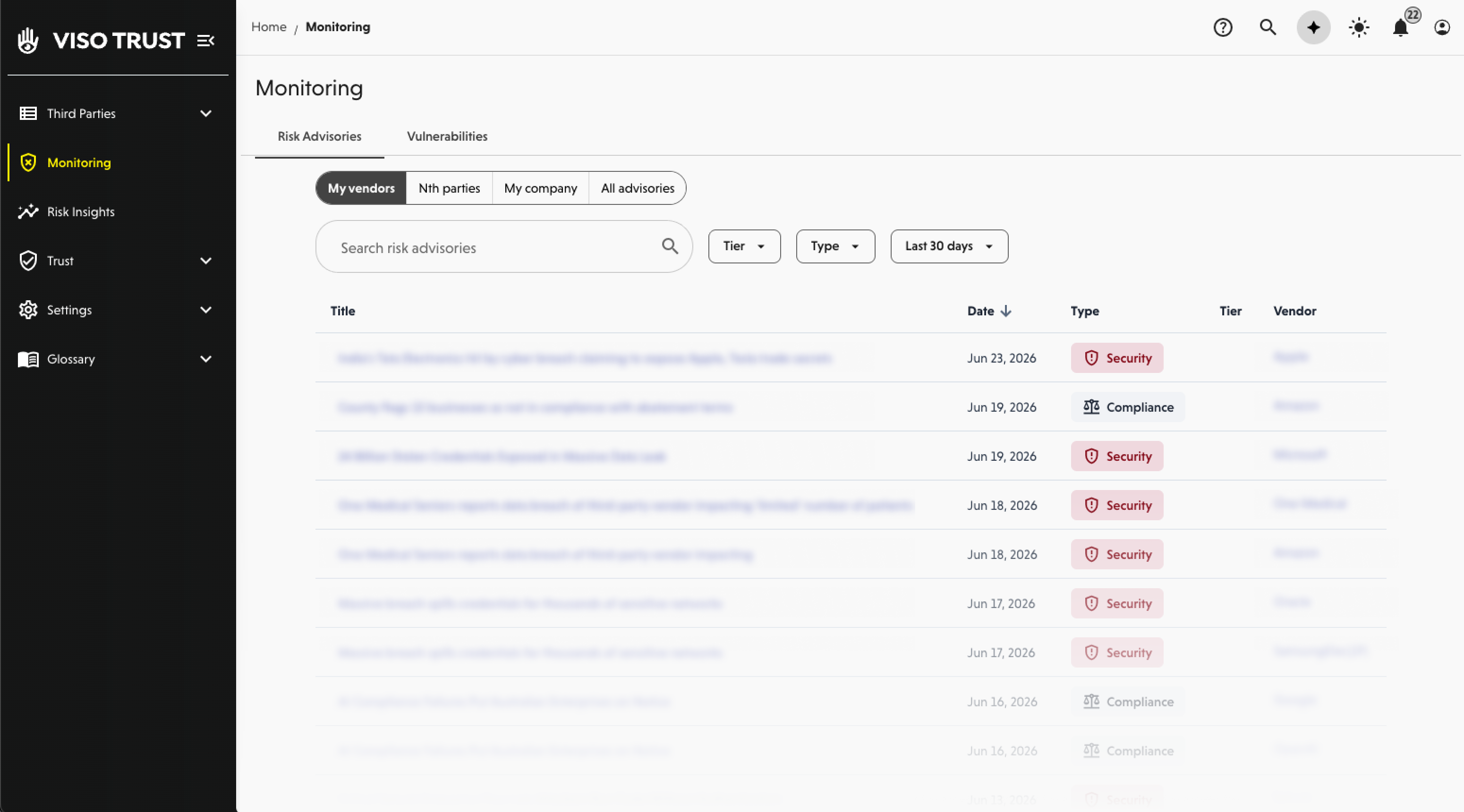
To access your organization's full monitoring feed, navigate to Monitoring in the left navigation.
This page is your central hub for all risk intelligence VISO TRUST has collected across your ecosystem. It is divided into two main tabs: Risk Advisories and Vulnerabilities.
Risk advisories
What Is a Risk Advisory?
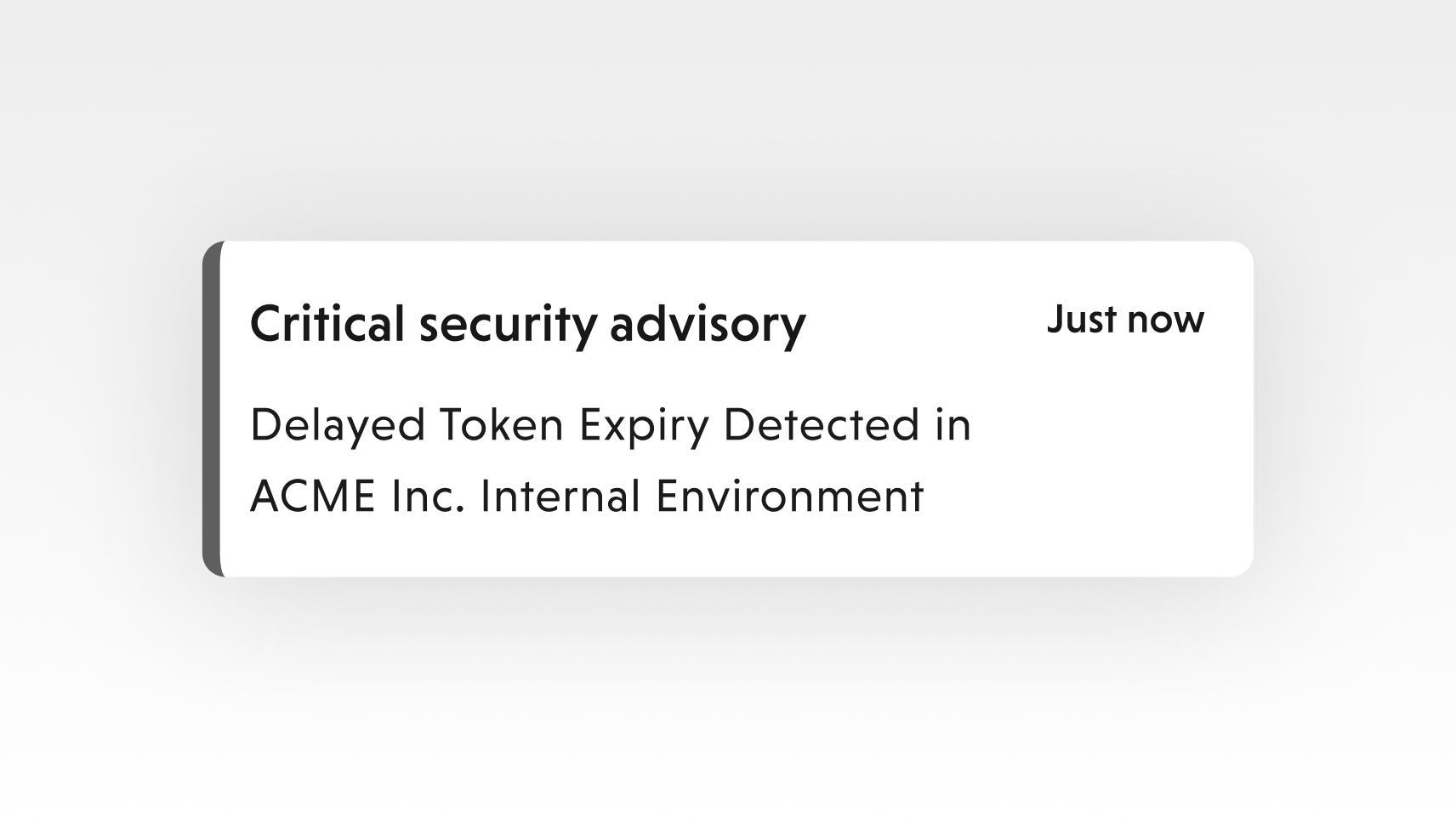
A risk advisory is a news event, disclosure, or development that may signal emerging risk for a third party in your ecosystem. Unlike a vulnerability (which is tied to a specific software flaw), risk advisories cover a broad range of events — things that do not necessarily have a technical root cause but still warrant attention from a TPRM perspective.
VISO TRUST monitors for advisories across categories including:
- Security — reported breaches, ransomware attacks, data exposures
- Compliance — regulatory findings, audit failures, certification lapses
- SEC 8-K Filing — material event disclosures that public companies are required to report, including cybersecurity incidents
- Legal — litigation, enforcement actions, sanctions
- Geopolitical — regional instability, export controls, sanctions regimes that may affect vendor operations
- Financial — signs of financial distress, credit downgrades, bankruptcy filings
- Operational — outages, leadership changes, business continuity events
Navigating the Risk Advisories Tab
The Risk Advisories tab shows a consolidated list of all advisories VISO TRUST has found. Use the filters at the top to narrow your view:
Scope filters — Choose which part of your ecosystem to examine:
- My Vendors — advisories tied to vendors you have a direct relationship with
- Nth Parties — advisories affecting subservicers or technology providers that VISO TRUST has detected in your vendor network
- My Company — advisories that mention your own organization
- All Advisories — the full unfiltered feed
Additional filters:
- Vendor Tier — focus on Tier 1 or critical vendors when you need to prioritize
- Advisory Type — filter by Security, Compliance, SEC 8-K Filing, Legal, Geopolitical, Financial, or Operational
- Date Range — scope the feed to recent events or a specific time window
Following Up on a Risk Advisory
When an advisory warrants a formal response, VISO TRUST makes it easy to act directly from the monitoring page. Select the relevant advisory and use the Request Vendor Response option to dispatch a targeted assessment to the affected vendor. This creates a documented follow-up trail within the platform and ensures your vendor has an opportunity to respond to the specific event.
Vulnerabilities
What Is a Vulnerability?
A software vulnerability is a specific flaw, weakness, or misconfiguration in a software product that could be exploited by an attacker to gain unauthorized access, disrupt services, or cause other harm. Vulnerabilities are distinct from risk advisories in one important way: they are tied to a specific, identified software defect — typically documented with a CVE (Common Vulnerabilities and Exposures) identifier.
A CVE is a standardized reference number assigned by the CVE Program (maintained by MITRE and sponsored by CISA) that uniquely identifies a publicly known security vulnerability. When a vulnerability receives a CVE, it enters a global database that security teams, software vendors, and researchers use to track, communicate, and remediate that specific flaw. CVEs serve as a common language across the security industry.
Note: VISO TRUST currently surfaces vulnerability intelligence for critical CVEs and it's currently not possible for us reliably report on vulns in software products observed in your vendor ecosystem. We do not currently map vulnerabilities to specific vendor relationships. This means you may see a vulnerability listed for a product without a direct link to which of your vendors is running it. We're actively working to develop better intelligence to tie monitoring to your third party relationships.
In summary:
Risk Advisory | Vulnerability | |
What it is | A news event or disclosure | A specific software flaw |
Has a CVE? | No | Yes |
Example | Vendor reports a data breach | CVE in a widely-used VPN client |
Action required | Questionnaire, review | Patch verification, compensating controls |
Why Vendor Vulnerabilities Are Your Business
Here is where TPRM gets nuanced: a vulnerability does not have to exist in software your vendor built to be relevant to your relationship. It only needs to exist in software your vendor uses.
Consider a practical example: if your payroll processor runs on servers with a widely-deployed operating system, and a critical vulnerability is discovered in that OS, your vendor may be exposed to attack — regardless of the quality of their own software development practices. The same logic applies to VPN clients, web frameworks, cloud storage tools, email platforms, and countless other commercial products that vendors rely on every day.
This is the concept of the attack surface — the sum of all possible entry points an attacker could exploit to get into a system. A vulnerability in any third-party software in your vendor's environment is a potential door into their systems, and by extension, potentially into yours.
VISO TRUST identifies vulnerabilities at the product and vendor level, helping you understand which vendors in your ecosystem may be exposed based on the technology products associated with them.
Severity Scoring
Each vulnerability in VISO TRUST receives a severity score from 1 to 10, based on standard industry scoring frameworks (such as CVSS, the Common Vulnerability Scoring System). This score reflects factors including:
- How easily the vulnerability can be exploited (exploitability)
- The level of access or damage an attacker could achieve (impact)
- Whether authentication or user interaction is required
- Whether a public exploit exists in the wild
Use the severity score to triage. A score of 9 or 10 (Critical) on a vulnerability affecting a Tier 1 vendor's core infrastructure deserves immediate attention. A score of 3 or 4 on software your vendor may not even be running can wait.
AI-Powered Vulnerability Scanning and the Modern Threat Landscape
This shift means the window between public disclosure of a vulnerability and active exploitation has compressed dramatically — from weeks or months to, in some cases, hours. A TPRM program that waits for a vendor's annual assessment to learn about a critical CVE is operating on a timeline that no longer matches the threat.
Proactive, AI-assisted vulnerability monitoring — the kind VISO TRUST provides — brings your program closer to real-time awareness, so you can identify exposure, prioritize outreach, and document your response before an incident occurs rather than after.
Following Up on Vulnerabilities
Just as with risk advisories, you can initiate a vendor questionnaire directly from a vulnerability finding. This is particularly valuable for critical vulnerabilities — it creates a documented record that you identified the exposure, reached out to the vendor, and requested confirmation of their remediation status. That paper trail matters for audit and regulatory purposes. To send a request for information, select the vulnerability and click Request vendor response in the side panel.
Monitoring at the Vendor Relationship Level
Program-level monitoring gives you a bird's-eye view. For a focused look at a single vendor, navigate to that vendor's relationship page and select the Monitoring tab.
This view surfaces only the risk advisories and news relevant to that specific vendor, making it easy to review their history before a business review, contract renewal, or escalation conversation.
Additionally, when VISO TRUST conducts a formal assessment of a vendor, relevant monitoring findings are automatically incorporated into the Assessment Summary. This means your assessors and relationship owners see the full picture — not just what the vendor reported in a questionnaire, but what was observed externally through continuous intelligence gathering.
Notification Settings
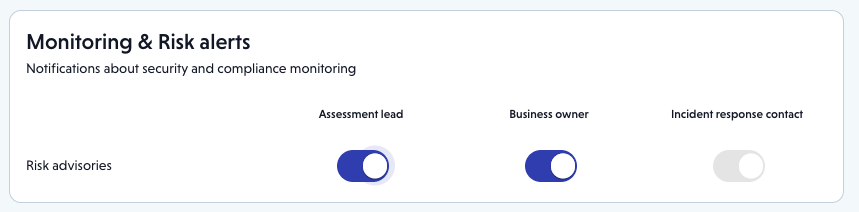
Monitoring is only useful if the right people see the alerts. VISO TRUST lets you configure who receives notifications about risk advisories at the organization and relationship level.
To configure notifications, go to Settings > Org Profile > Notifications.
From there, you have two options:
- Incident Response Contact — Designate one or more individuals who should receive all risk advisory notifications across the entire program. This is typically a security operations contact or your TPRM program lead.
- Relationship Contacts — Enable notifications for relationship-level contacts such as business owners, so they automatically receive alerts relevant to the specific vendors they manage. This distributes awareness without overwhelming any one person. Note: This option can be disabled for an individual relationship in the Relationship Configuration settings.
Getting notifications right ensures that a critical advisory about your most important vendor doesn't sit unread in a shared inbox — it goes directly to the person responsible for that relationship.