Vendor relationship settings

Relationship configuration lets you define how a vendor is managed, assessed, and monitored over time. This includes who owns the relationship, what data is involved, and how assessments should run.
Where to find relationship configuration
In a vendor relationship:
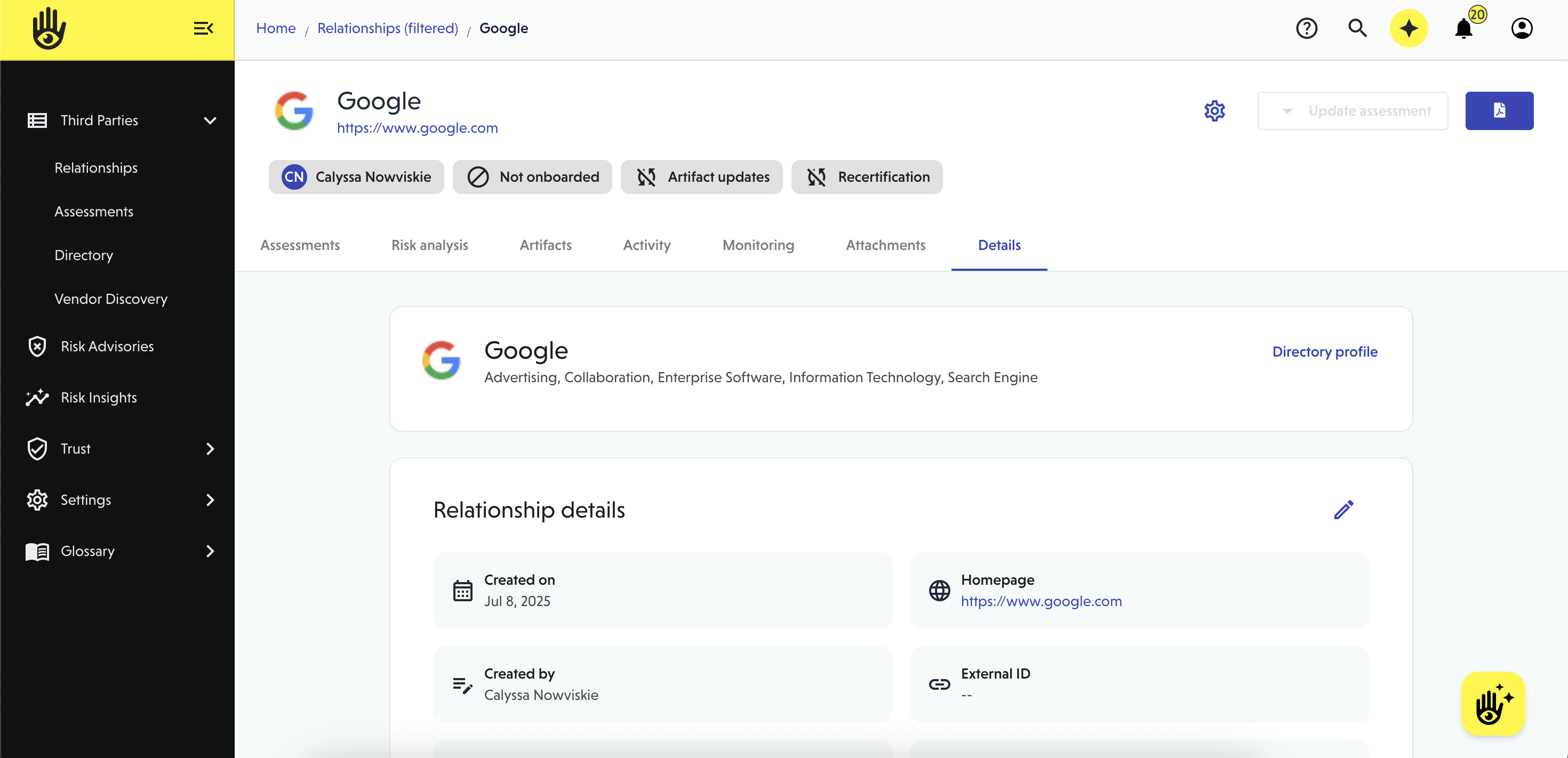
- Click the gear icon in the relationship header, or
- In the Details tab, click the edit (pencil) icon next to any section.
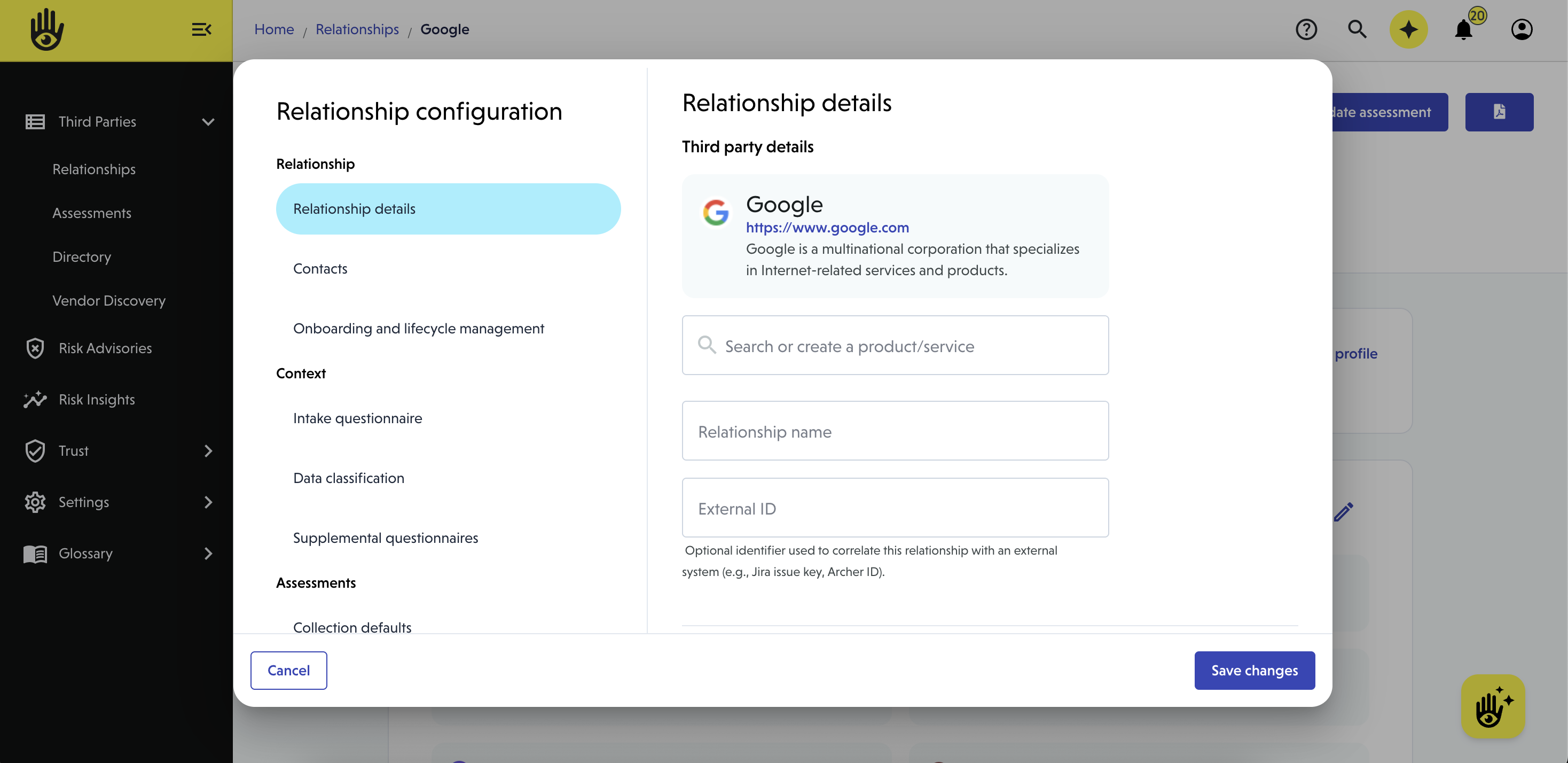
Relationship details
Define the core information about the vendor relationship.
Relationship name
The name used across VISO TRUST for this vendor relationship
External ID (optional)
A reference ID from another system (e.g., Jira, Archer, internal vendor ID)
Business purpose
Describe how your organization uses this vendor (1–3 sentences).
This helps determine the right risk context and controls.
Tier
Group the vendor for reporting and oversight
👉 Learn more about vendor tiering
Tags
Add labels to organize and filter relationships
Contacts
Define who is responsible for this relationship—both externally and internally.
Third party contact
The vendor’s primary contact (e.g., account manager)
Business owner
Your internal owner of the relationship
- Assign an existing contact or create a new one
- Toggle Enable notifications to alert them about updates and required actions
Subscribers
Additional stakeholders who should receive updates
- Add or remove subscribers
- Subscribers receive email notifications on changes to the relationship
👉 Learn more about Notification settings
Onboarding and lifecycle management
Control how the relationship is maintained over time.
Relationship status
- Onboard to include the vendor in Risk Insights and enable lifecycle management
- Optionally add an onboarding message
- Archive the relationship to hide it from your list of relationships.
Artifact updates
Automatically request updated documents before they expire
- Choose whether to:
- Remind the business owner, or
- Contact the vendor directly
Recertification
Schedule periodic reviews of the relationship
- Set:
- Start date
- Frequency (e.g., annually)
- Choose who initiates recertification:
- Internal owner or vendor
👉 Learn more about Lifecycle management
Context
Relationship context defines the threat surface, controls in scope, and data sensitivity for a vendor relationship.
By configuring context, you describe how your organization works with a vendor—allowing VISO TRUST to tailor assessments, scope relevant controls, and accurately determine inherent risk. This enables a more precise, risk-based approach aligned to modern TPRM practices.
👉 Learn more about Relationship context
Assessment settings
You can now set assessment defaults at both the organization level (applies globally) and the relationship level (applies to individual relationships). These settings help streamline your assessment process, ensure consistency, and reduce repetitive configuration.
These settings include:
- Request specific artifacts
- Automate follow-up efforts
- Configure assessment timeline
- Define what to do if the vendor doesn't respond
- Analysis method
👉 Learn more about setting assessment defaults
After completing configuration
- Click Save changes to apply updates
- Your settings will determine:
- What the vendor is asked for
- How risk is evaluated
- How the relationship is maintained over time
- If you made changes to these settings after an assessment has been completed, relevant changes will be tracked as pending changes.
View the current relationship configuration on the details tab of the relationship