Risk Review and Acceptance Process

Risk Review and Acceptance Process
Overview
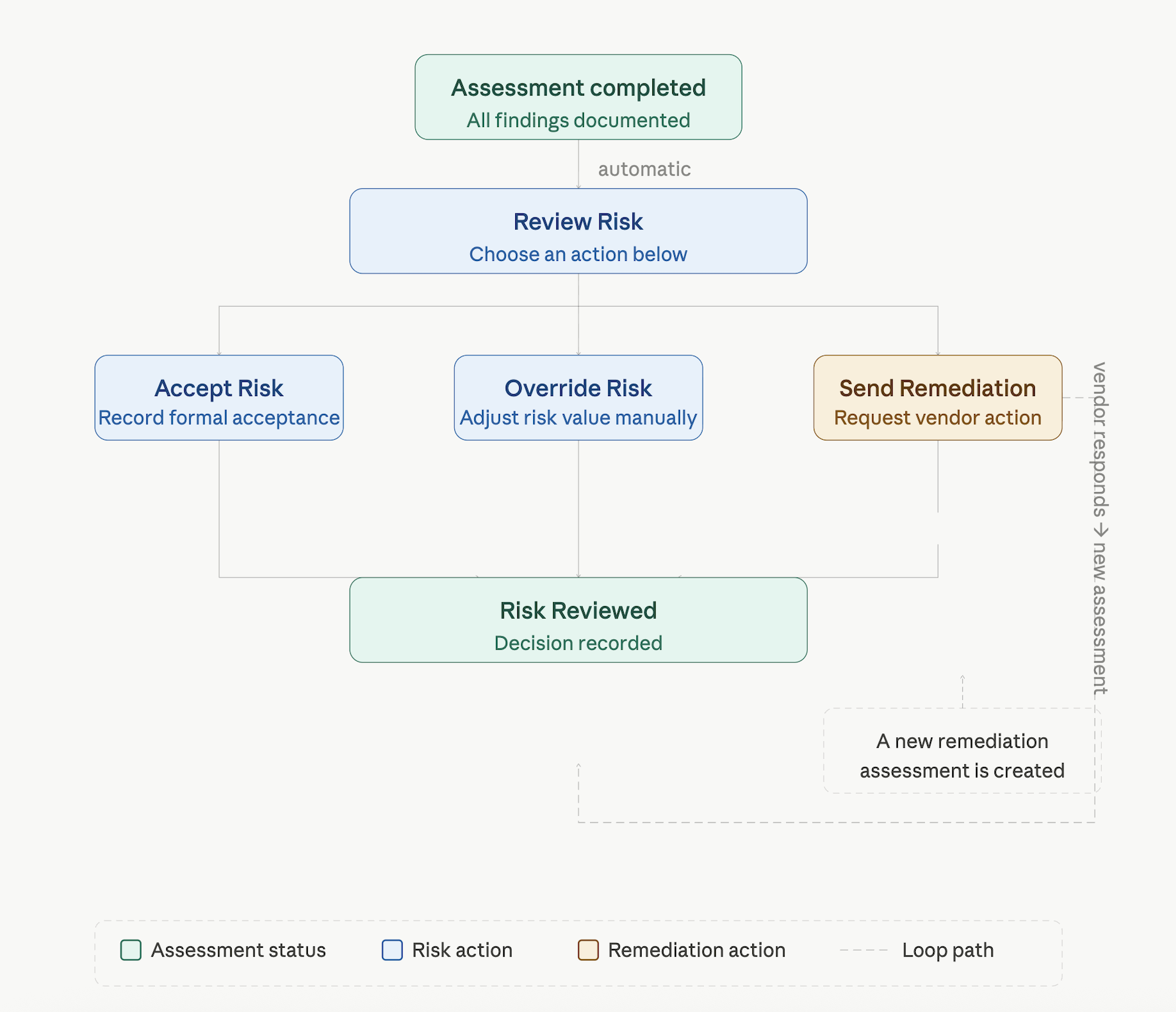
Once an assessment is completed, VISO TRUST automatically moves the relationship into a Review Risk state. This is where your team formally evaluates the assessment findings and records a risk decision. This article documents the status flow, what triggers each change, and the actions available at each stage.
Status Flow
Status Definitions
Review Risk
An assessment automatically moves to Review Risk as soon as it reaches Completed status. No action is required to trigger this — it happens immediately upon completion.
This status indicates that the assessment findings are available and your team needs to record a risk decision before the relationship is considered fully reviewed.
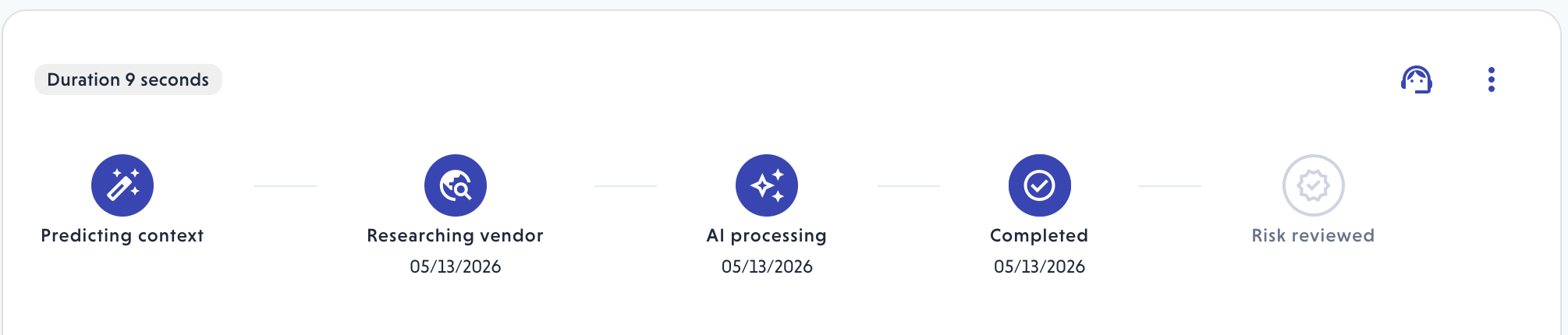
The assessment moves to Risk Reviewed once any of the three actions — Accept Risk, Override Risk, or Send Remediation Request — has been taken. This status indicates that your team has formally responded to the assessment findings and a decision is on record.
When a remediation request is sent, the assessment moves to Risk Reviewed immediately. If the vendor subsequently responds, VISO TRUST automatically starts a new assessment update. Once that update completes, the assessment returns to Review Risk for your team to evaluate the vendor's response and record a new risk decision.
Available Actions
When an assessment is in Review Risk status, the following actions are available from the Review Risk button in the assessment summary.
Accept Risk
Records that your organization accepts the residual risk of the relationship based on the current assessment findings. This is the action that formally closes the review and moves the assessment out of the Review Risk state.
Override Risk
Allows your team to manually set a different Inherent or Residual Risk value than what the VISO TRUST risk model calculated. This is used when:
- Compensating controls have been implemented by your organization or the vendor that are not fully reflected in the assessment
- The relationship context is not fully captured in the current assessment findings
An override supersedes the calculated risk values across all selected risk outcomes. Overrides can be edited or removed at any time from the Review Risk modal or the risk acceptance banner in the assessment summary.
Send Remediation Request
Available when the assessment has identified control gaps or recommendations.
Sends a formal request to the vendor to address specific findings by a specified target date.
When a remediation request is sent, the assessment moves to Risk reviewed. When the vendor responds, VISO TRUST automatically starts a new assessment update. Once that update completes, the assessment returns to Review Risk for your team to evaluate the vendor's response and record a new risk decision.
Your team can record a risk acceptance and send a remediation request at the same time if your organization's process supports conditional approval.
What Triggers Each Status Change
Transition | Trigger |
Completed → Review Risk | Automatic — occurs immediately when the assessment completes |
Review Risk → Risk Reviewed | Your team records Accept Risk or Override Risk or send a remediation request |
Risk Reviewed → Review Risk | Vendor responds and a new assessment update completes, or the remediation request is cancelled |
Viewing Assessments by Status
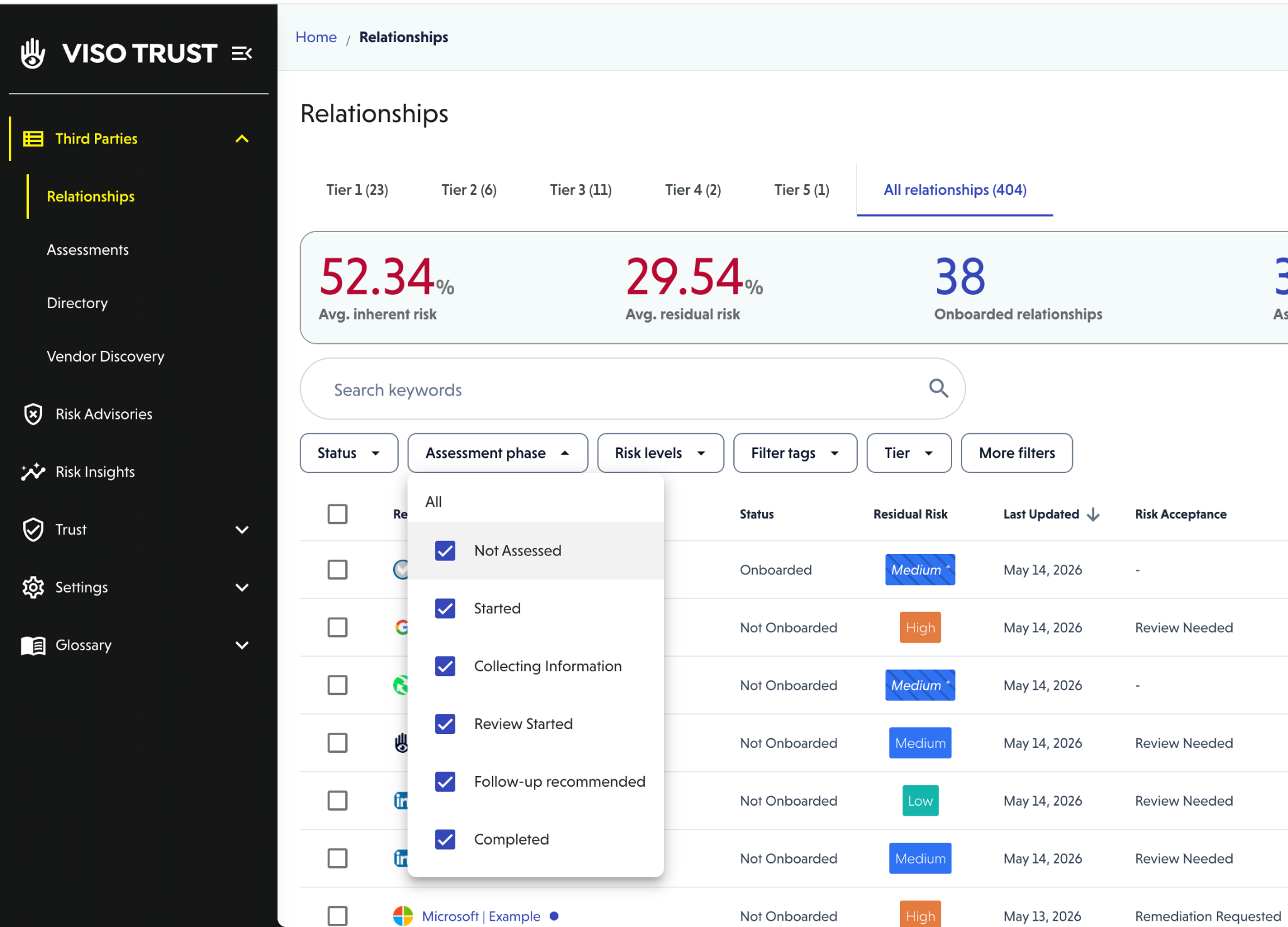
To see all assessments currently in Review Risk or Risk Reviewed status, navigate to the Assessments page and filter by the relevant status. This view helps your team manage the queue of assessments that require a risk decision.
You can also filter by the Remediation Requested column on the Relationship List page to identify all relationships with an active remediation request.

Relationship History and Audit Trail
Every risk decision — including Accept Risk, Override Risk, remediation requests, and comments — is recorded in the relationship history. This provides a full audit trail of decisions made over the life of the relationship, including who took each action and when.
If a new assessment update is started after a risk decision has been recorded, the previous decision is retained in the history and the assessment returns to Review Risk for re-evaluation once the update is complete.
FAQs
Q: What happens to the risk decision if a new assessment update starts?
When a new assessment update begins — for example, due to a vendor remediation response, a new artifact upload, or a scheduled recertification — the assessment returns to Review Risk once the update is complete. The previous risk decision is preserved in the relationship history for audit purposes.
Q: Can a risk override be removed?
Yes. An override can be edited or removed at any time from the Review Risk modal or by clicking Edit in the risk acceptance banner in the assessment summary. Removing the override resets the risk to the value calculated by the VISO TRUST risk model.