Vendor Collection Portal

What Does a Vendor See?
When a vendor (third party) receives an assessment request, they will go through the following experience:
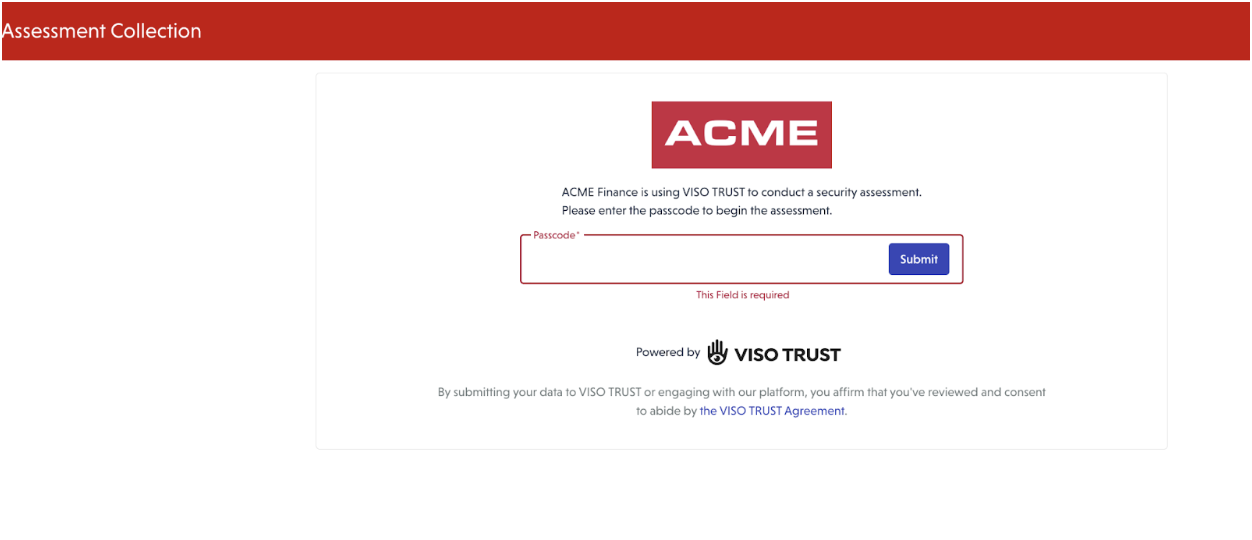
🔐 Step 1: Logging In
When attempting to log in, the vendor will see a screen prompting them to enter the password provided in the email invitation.
Once the password is entered, the vendor will be directed to the assessment page.
📝 Step 2: Providing Information
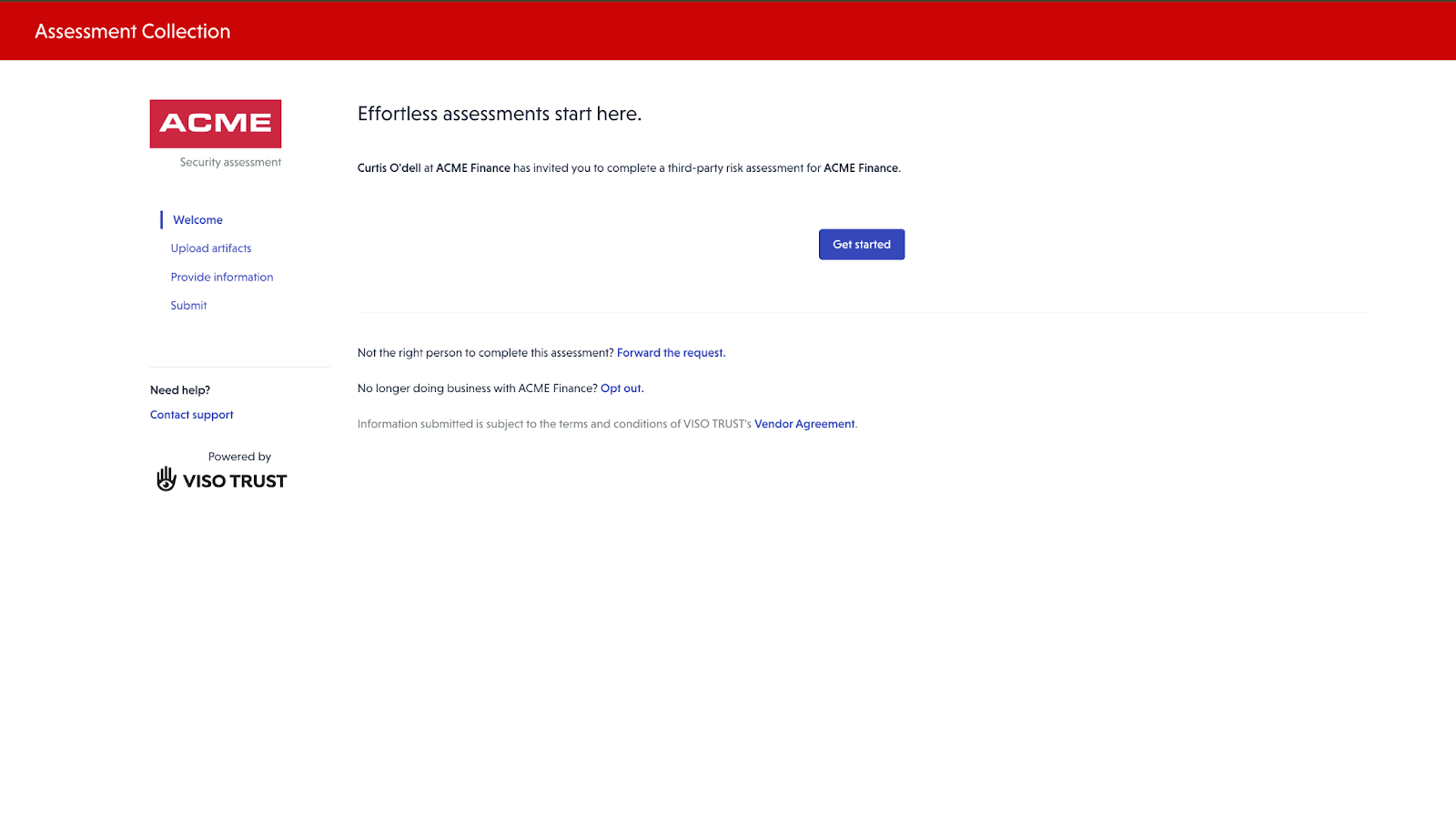
On the assessment page, vendors can review guidance on required documentation and provide information in multiple ways, including:
- Uploading artifacts (e.g., SOC reports, certifications, policies)
- Responding to questionnaires
Guidance is provided to help vendors understand what types of artifacts are typically needed to validate controls.
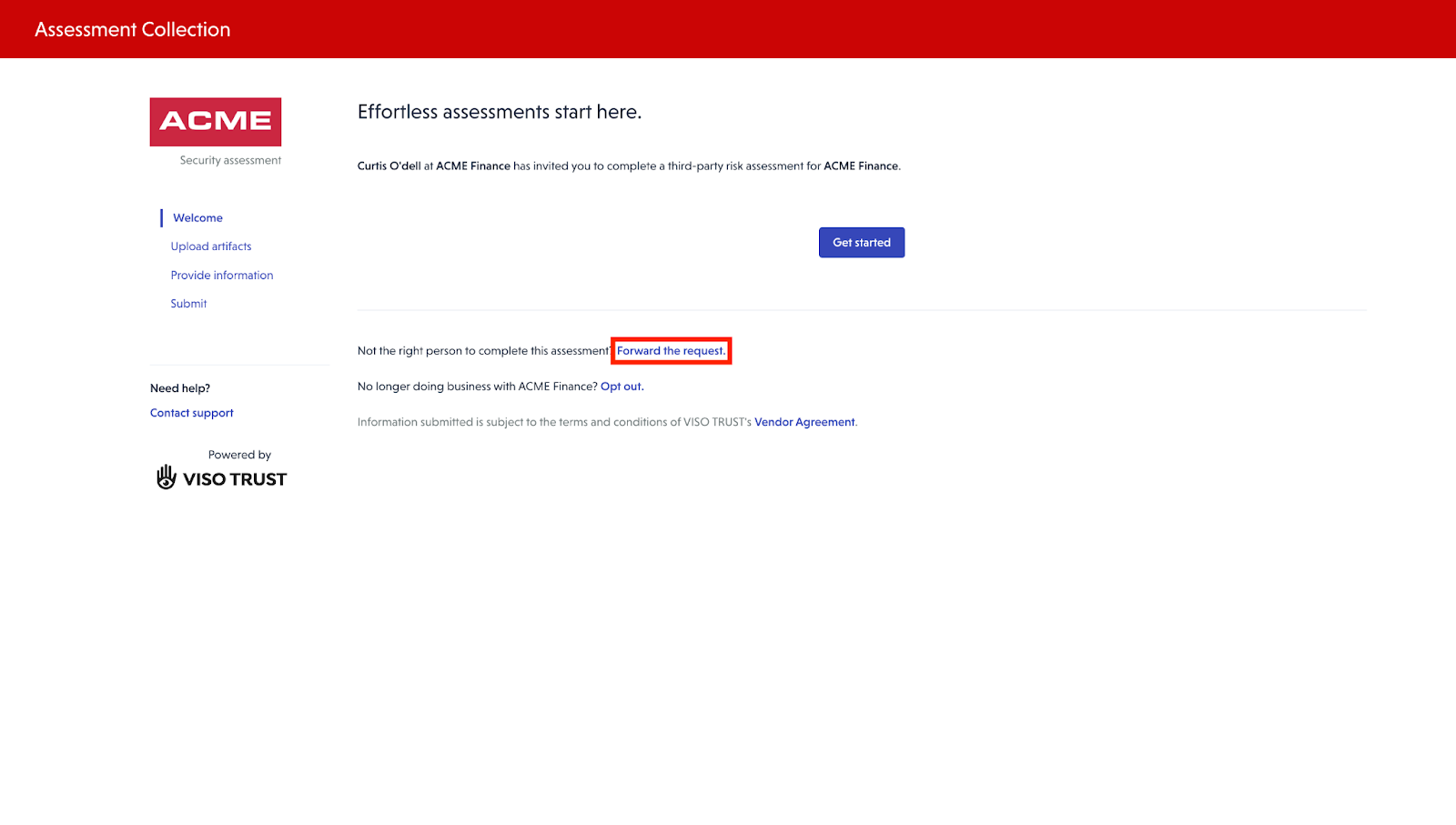
🔄 Step 3: Forwarding the Request
If the recipient of the email is not the appropriate contact to provide the requested information, they have the option to forward the request to another contact within their organization.
📤 Step 4: Uploading Artifacts
After clicking on Get Started, the Third Party contact can upload artifacts.
Guidance of what typical artifacts would help to validate are provided.
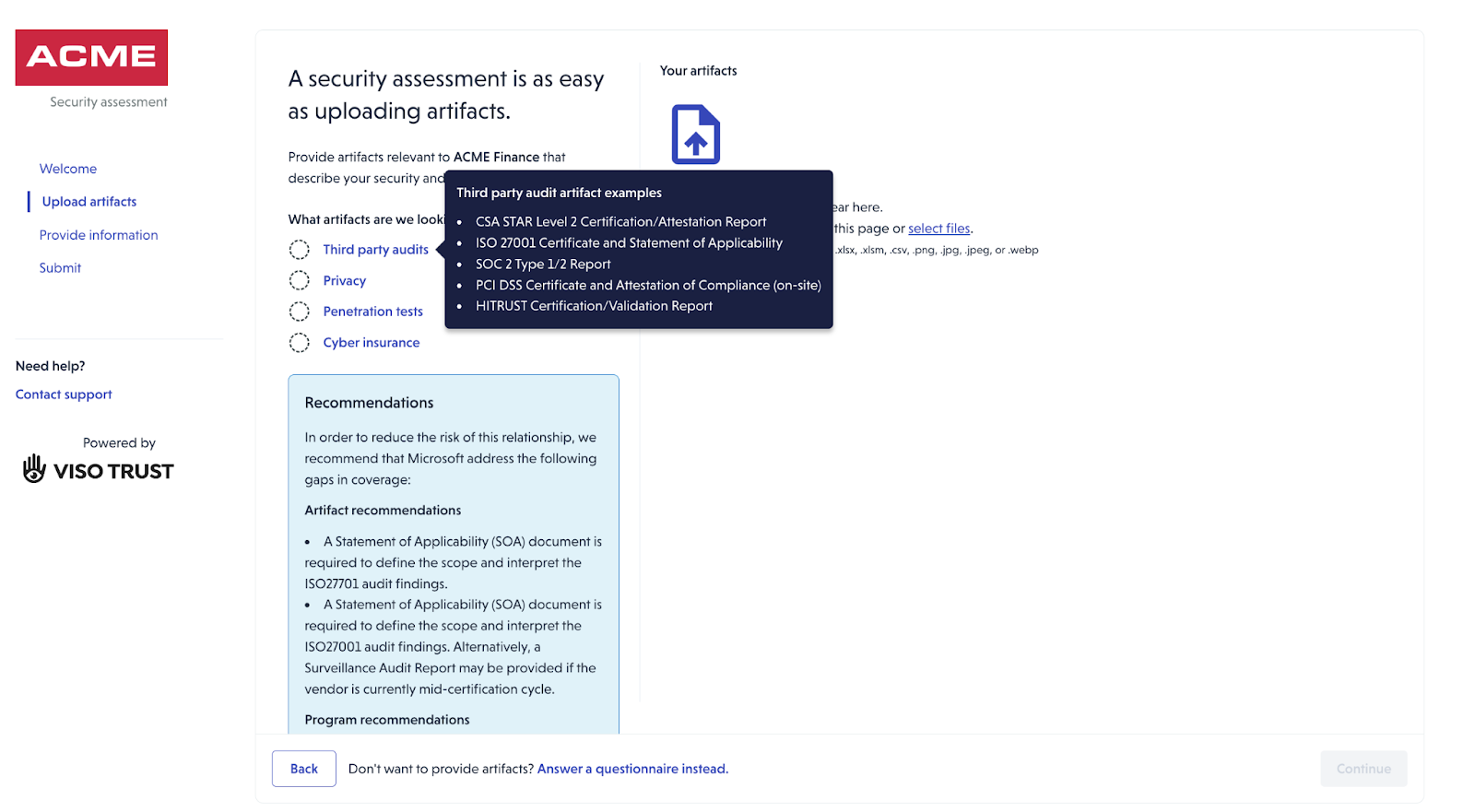
The vendor will then be able to upload artifacts.
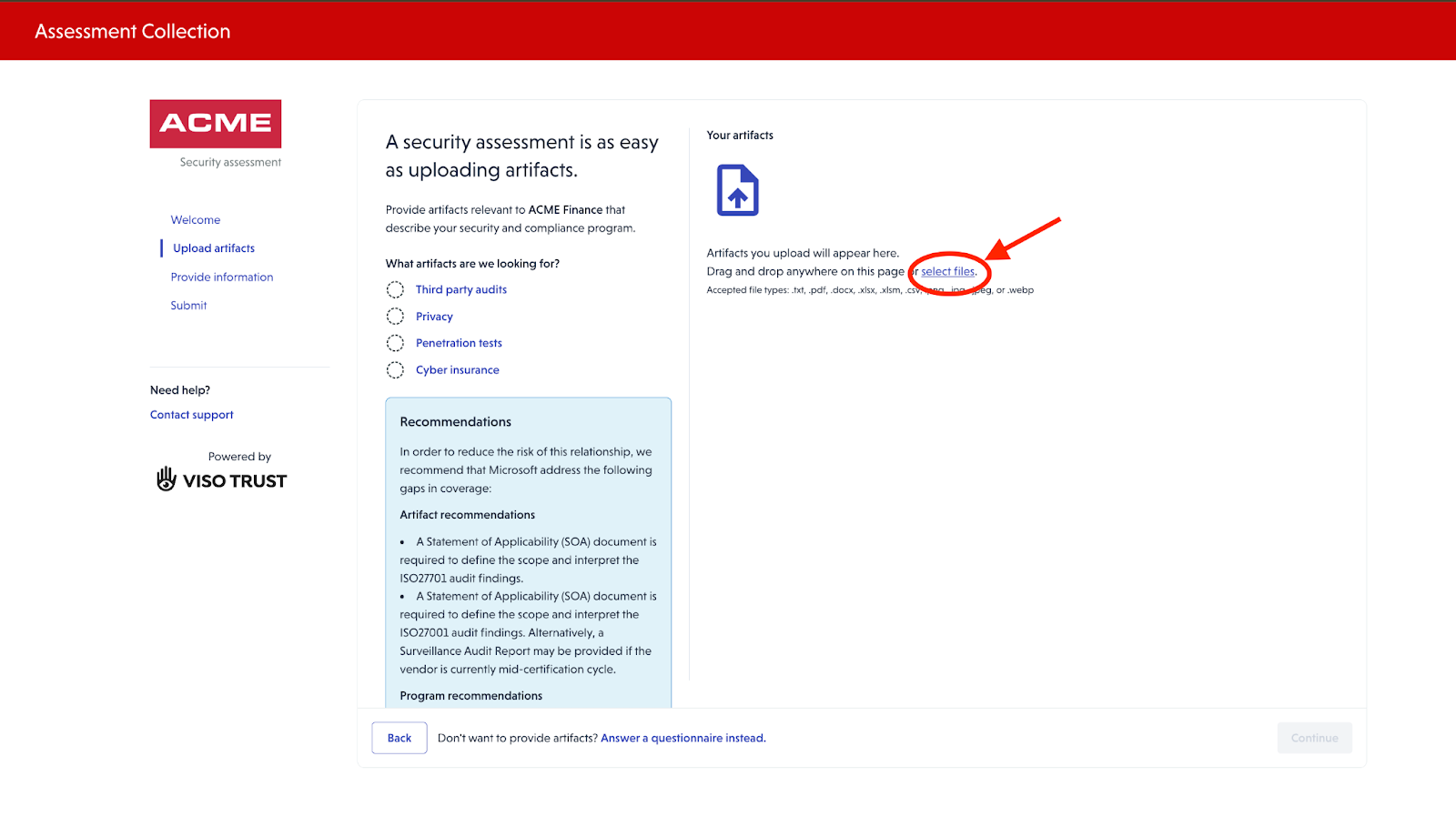
If they do not have any artifacts to upload, they have an option to answer a questionnaire.
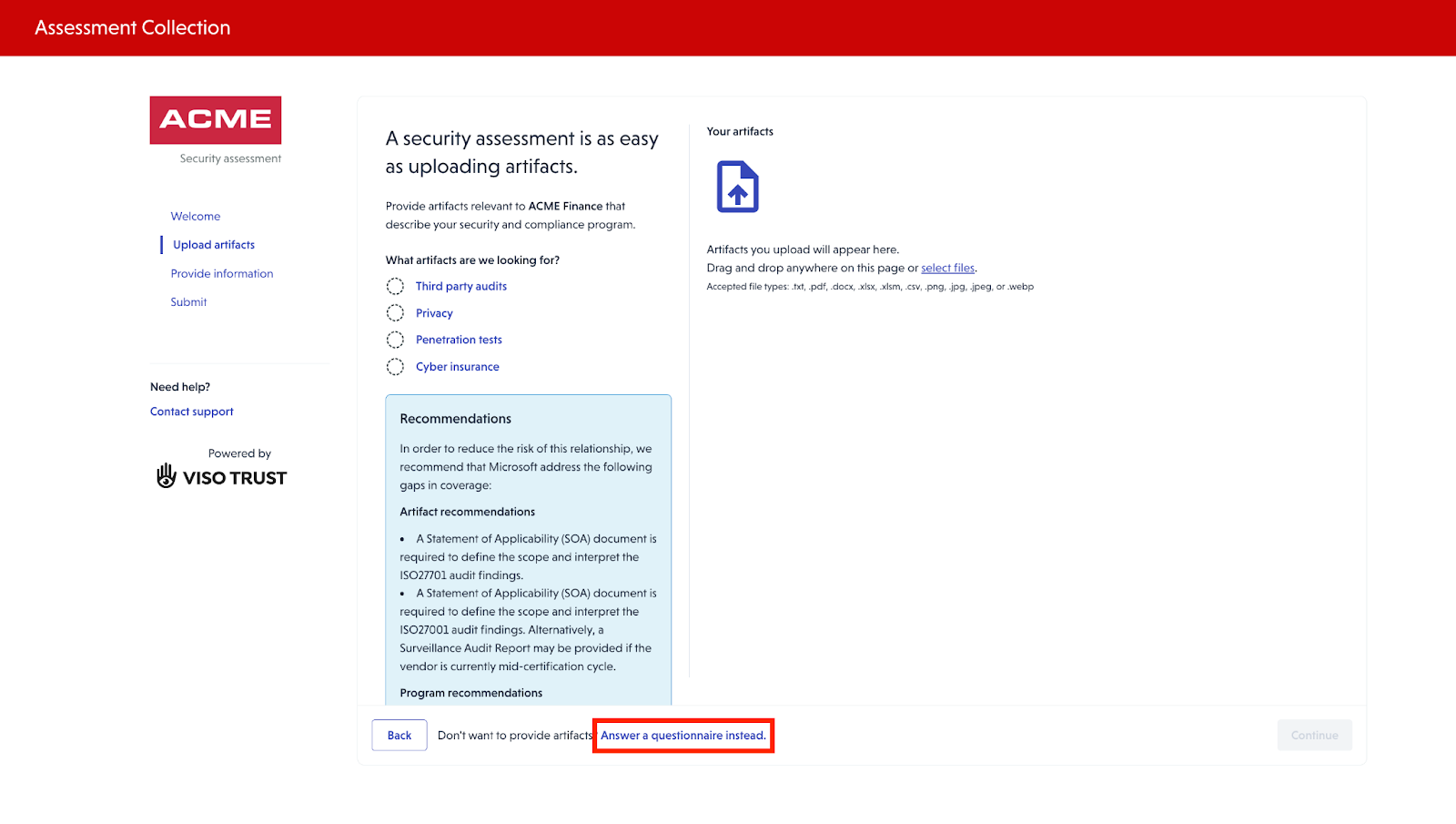
🤖 Step 5: AI Processing & Gap Identification
After artifacts are uploaded:
- The system uses AI to determine the artifact type
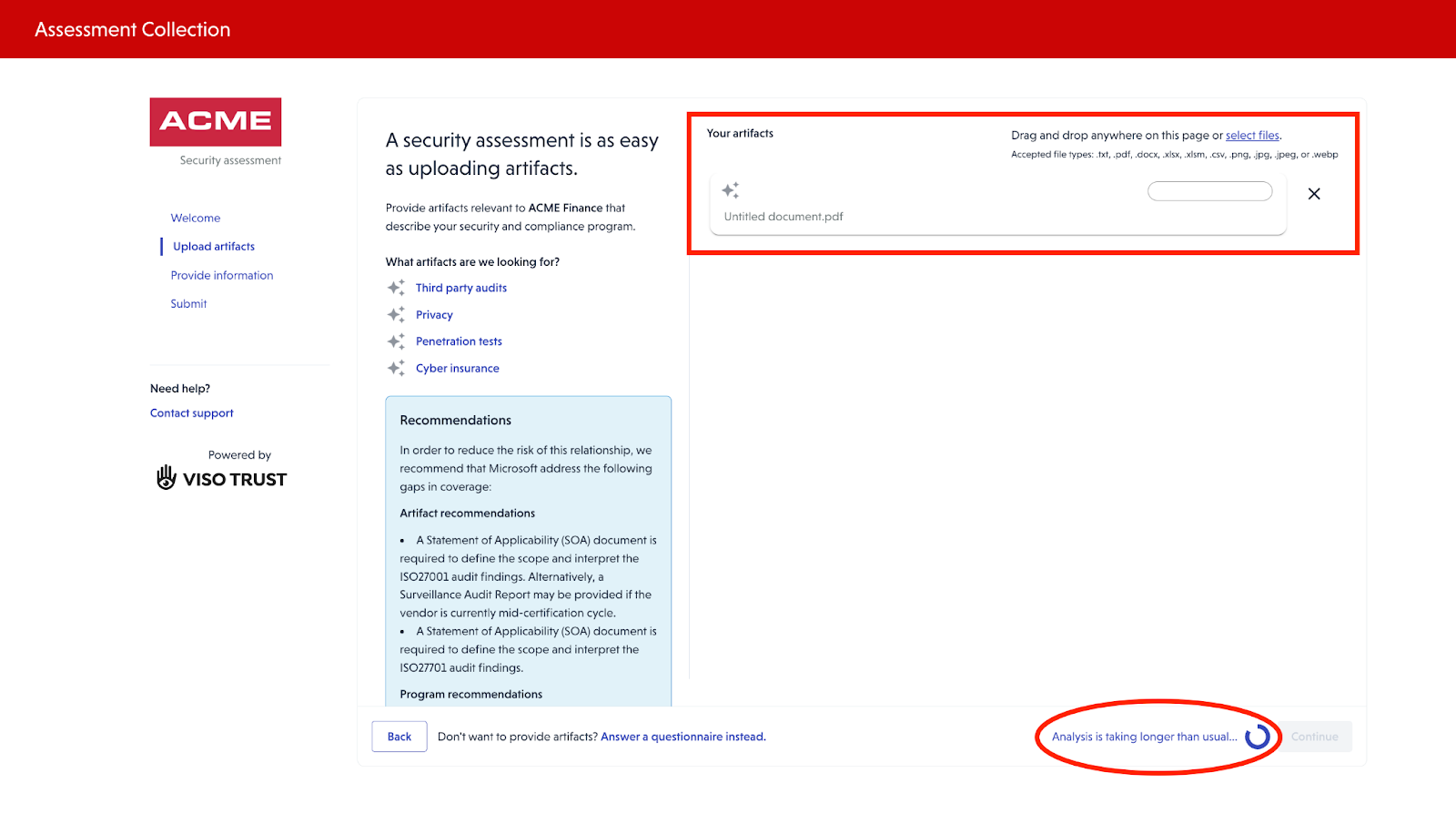
- Initial processing and validation are performed
- Any remaining gaps are identified
Vendors may then be prompted to provide additional artifacts or clarification for specific items as requested by the client.
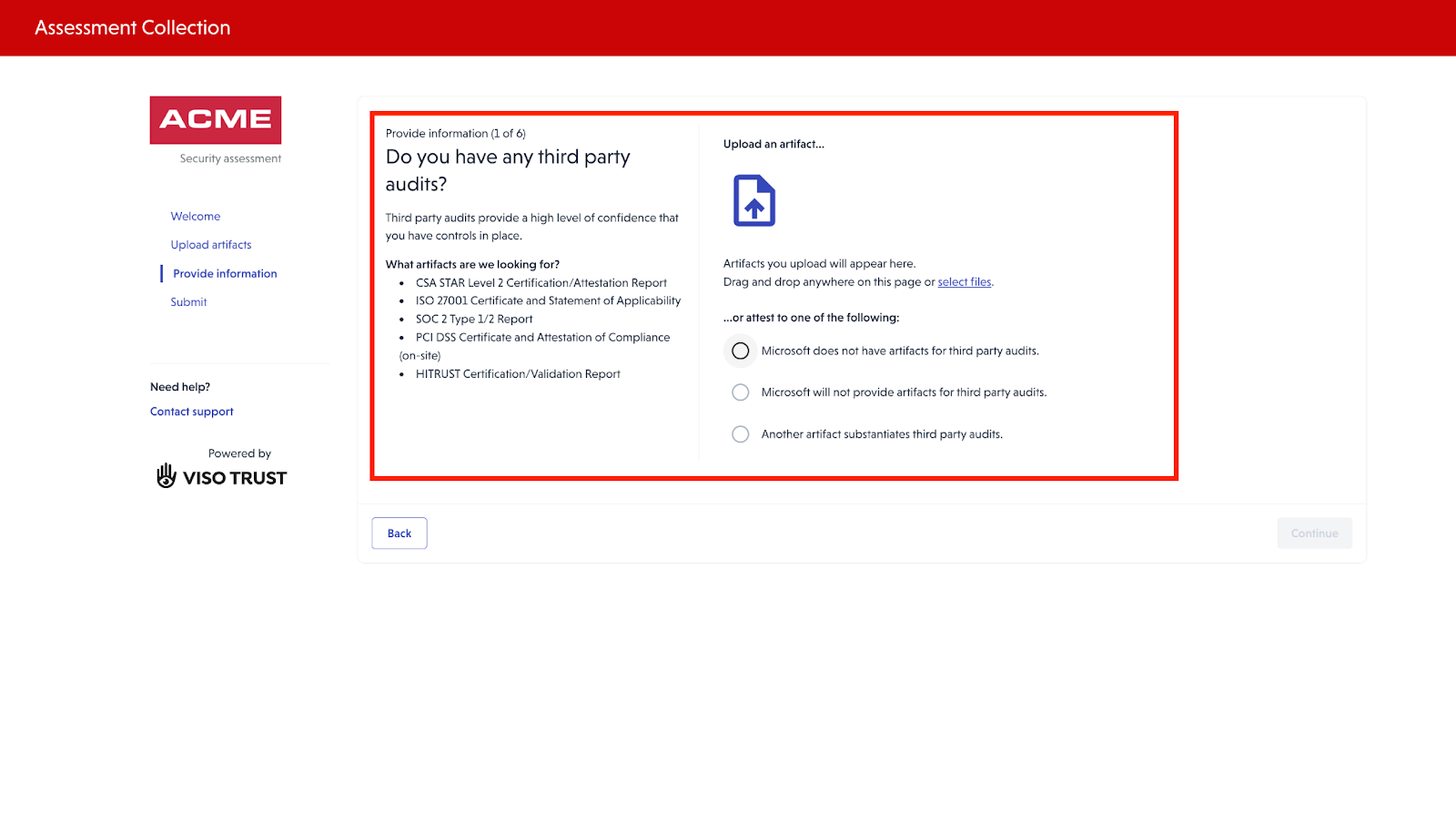
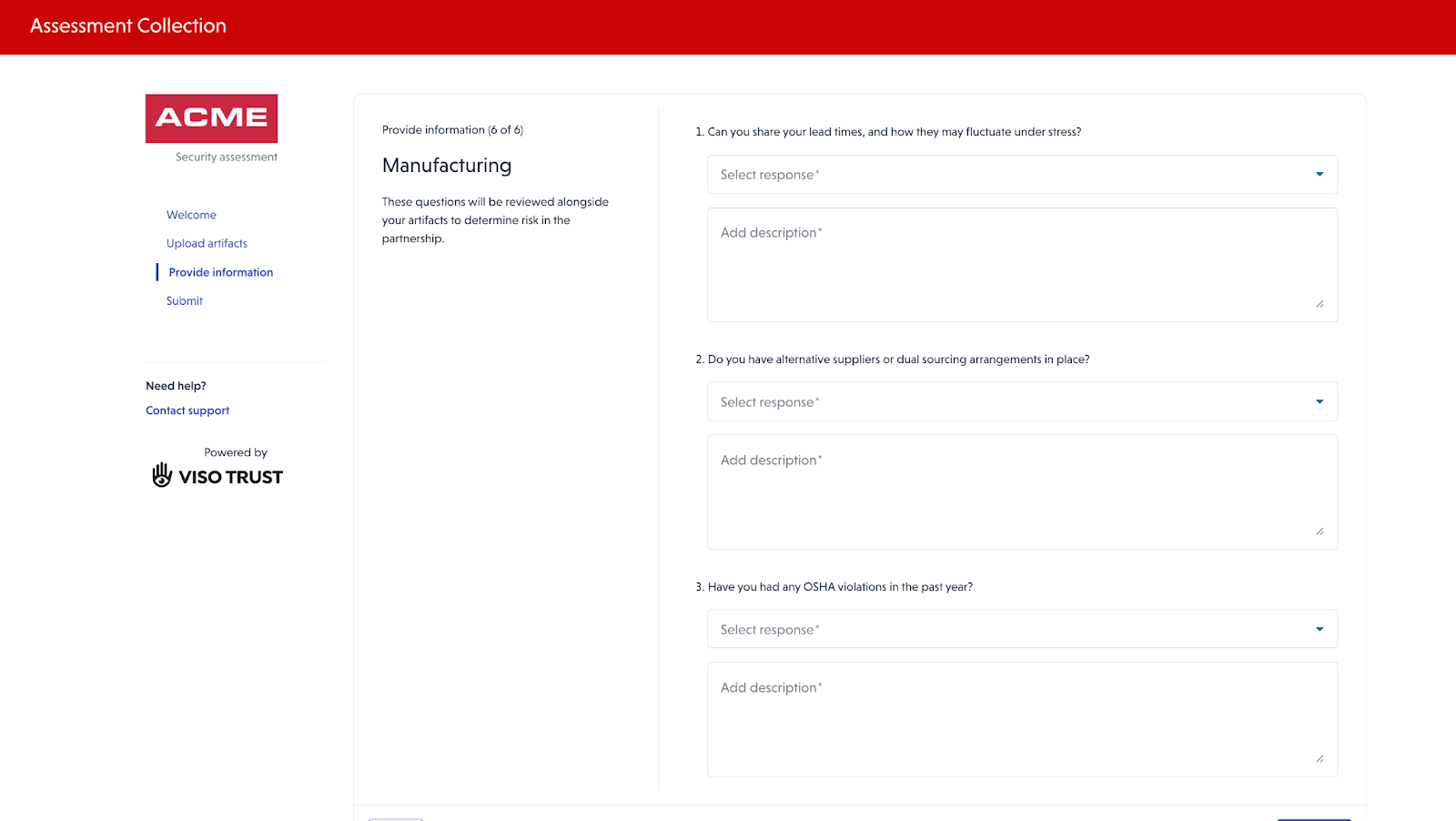
📋 Step 6: Additional Questionnaires
As part of the assessment process, Supplemental questionnaires may be presented to address the additional questions requested by the client.
✅ Summary
Vendors can:
- Securely access the assessment
- Upload supporting documentation
- Respond to questionnaires
- Forward the request if needed
This process ensures a comprehensive collection of the vendor’s security and compliance artifacts.