Getting Started
How To Import New or Existing Relationships
Creating a Relationship
Updating a Vendor Assessment
Assess a Vendor Instantly
Getting Started with Integrations in VISO TRUST
Frequently Asked Questions
Knowledge Base
Implementation
Organization Settings
Role-Based Access
Notifications & alerts
Custom Organization Email Domain
Artifact Intelligence Trust Center
Netksope Application Risk Exchange Plugin
How to Create an API Access Token
How To Configure The VISO TRUST Netskope Application Risk Exchange (ARE) Plugin
How To Configure Coupa Supplier Sync
Customize branding for your organization
Relationships and Assessments
Continuous Monitoring & Vulnerability Detection
Viewing and Editing Artifacts
Business Cases and Controls
Assessment lifecycle based on Vendor Response flow
Relationship Configuration Settings
Risk Review and Acceptance Process
Understanding Assessment Completion
Vendor relationship settings
Configuring relationship context
Configuring assessment defaults
Vendor Collection Portal
Tracking changes between assessments
Assessment Phases
Auditor Review Summary
Risk Review and Remediation
Data Types and Impact
Questionnaires
Request vendor response to risk advisory
VISO TRUST Agentic chat
Follow-up questionnaires
Vendor discovery
Understanding Subscribers and Default Subscribers
Sub-Processor Collection
Vendor tiers
VISO TRUST Risk Assessment Process
Lifecycle Management for Relationships
Understanding Risk
Compliance Certifications and Publicly Derived Control Coverage
How VISO TRUST Risk Scoring Works
Customizing Risk Tolerance
Risk Network
Risk Calculations
Risk Insights
Products & Services: Vendor Relationship Scoping
API Integration Validation Guide
VISO TRUST API Documentation Guide
How the Risk Model Works
Product Updates
- All Categories
- Knowledge Base
- Understanding Risk
- Risk Network
Risk Network
 Updated
by Christian Coffey
Updated
by Christian Coffey
Risk Network
During an assessment, artifacts are analyzed and validated by both Artifact Intelligence and our team of expert auditors. These validations—though most notably used to compute risk—also contain valuable data that fuels other areas on the platform such as your Risk Network.
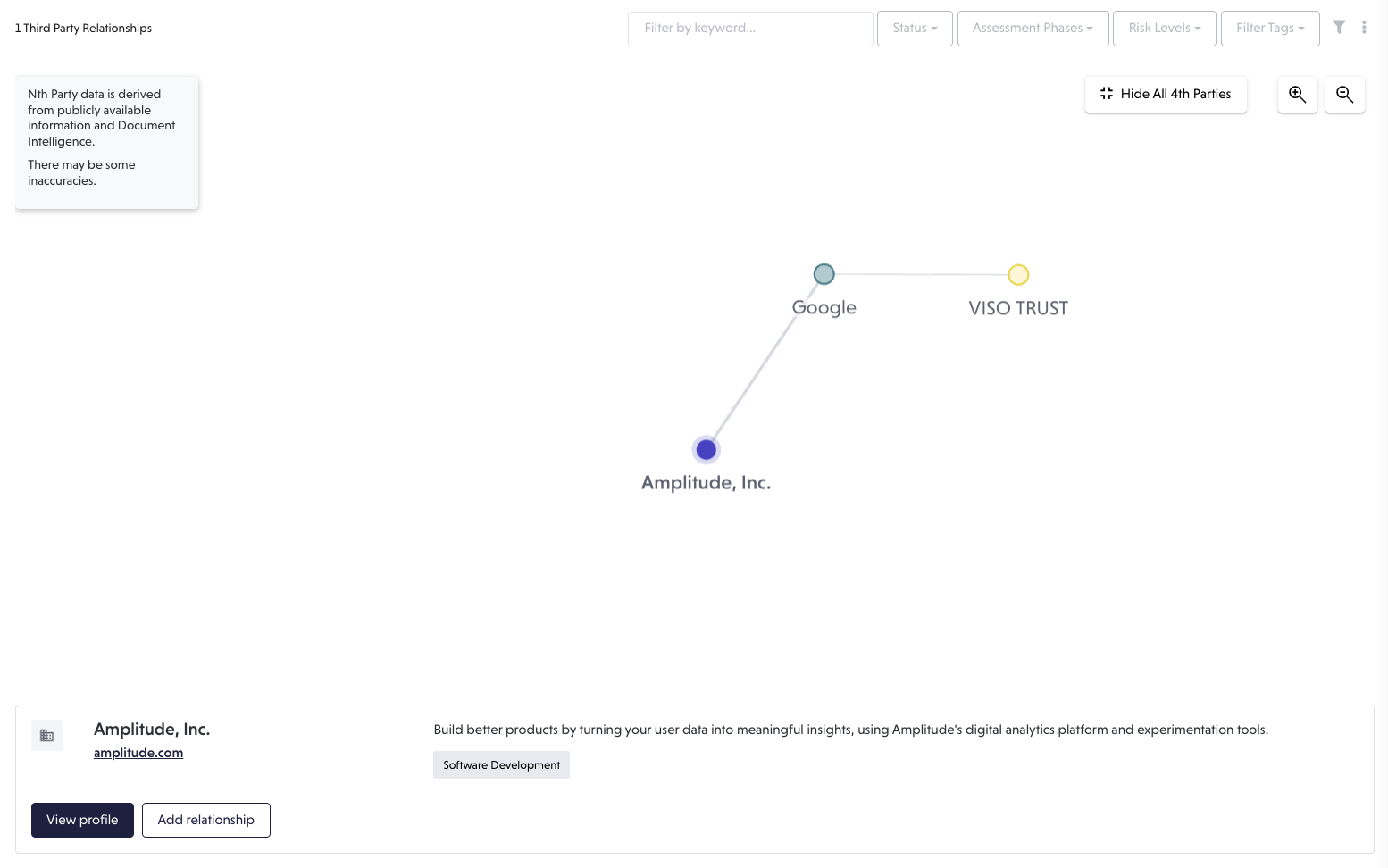
To start, navigate to the Relationships page and switch the toggle from List to Graph.

This is your Risk Network, a visual representation of your third and nth parties. By clicking any of the green nodes (third parties) you can reveal nth parties, which show in blue.
Click any nth parties to reveal information about that organization, create a relationship with them, and more!