Products & Services: Vendor Relationship Scoping

Products & Services: Vendor Relationship Scoping
Overview
The Products & Services feature allows you to assess vendors at the level of an individual product or service. When you work with a vendor that offers multiple distinct products — such as a cloud platform, a productivity suite, or an AI tool — you can create a separate relationship for each one, each representing its own assessment context with its own notion of artifact relevance.
This means that artifacts discovered or collected under one product relationship are evaluated for relevance to that specific product or service, giving you a more accurate and focused risk picture than a single undifferentiated vendor relationship would provide.
Vendor organization metadata (such as company details and profile information) is shared across all relationships that reference the same organization, so there's no need to duplicate profile information — the product-level scoping is layered on top of the shared organizational foundation.
Key Capabilities
- Product/Service Management Define products or services that are a part of any organization. Products are specific to your VISO TRUST tenant and can be created on the fly when setting up a new relationship. A simple search-or-create pattern lets you reuse existing products across multiple relationships.
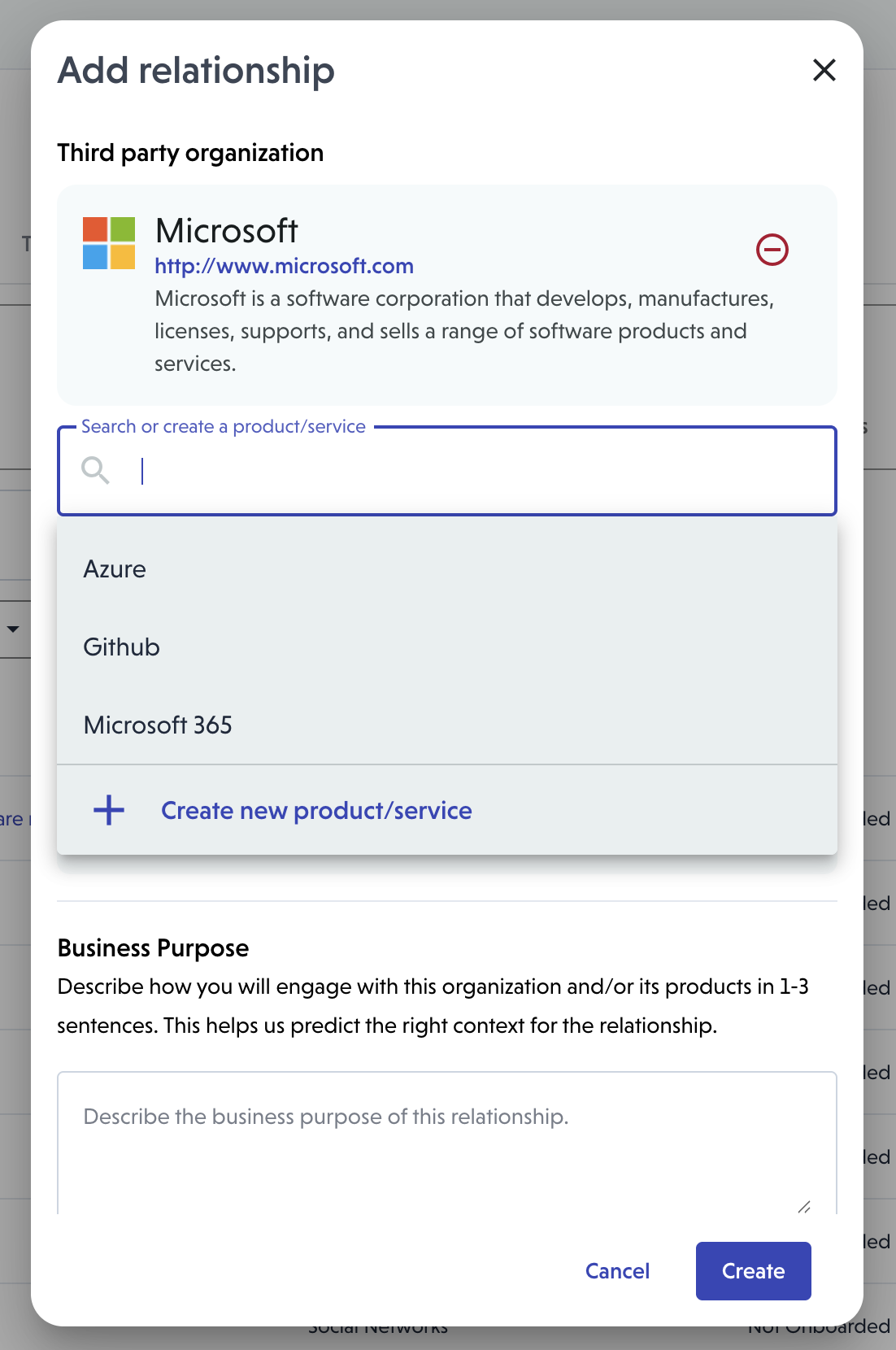
- Product-Scoped Relationships When creating a relationship, you can associate it with a specific product. Each relationship represents a distinct scope of engagement with that vendor.
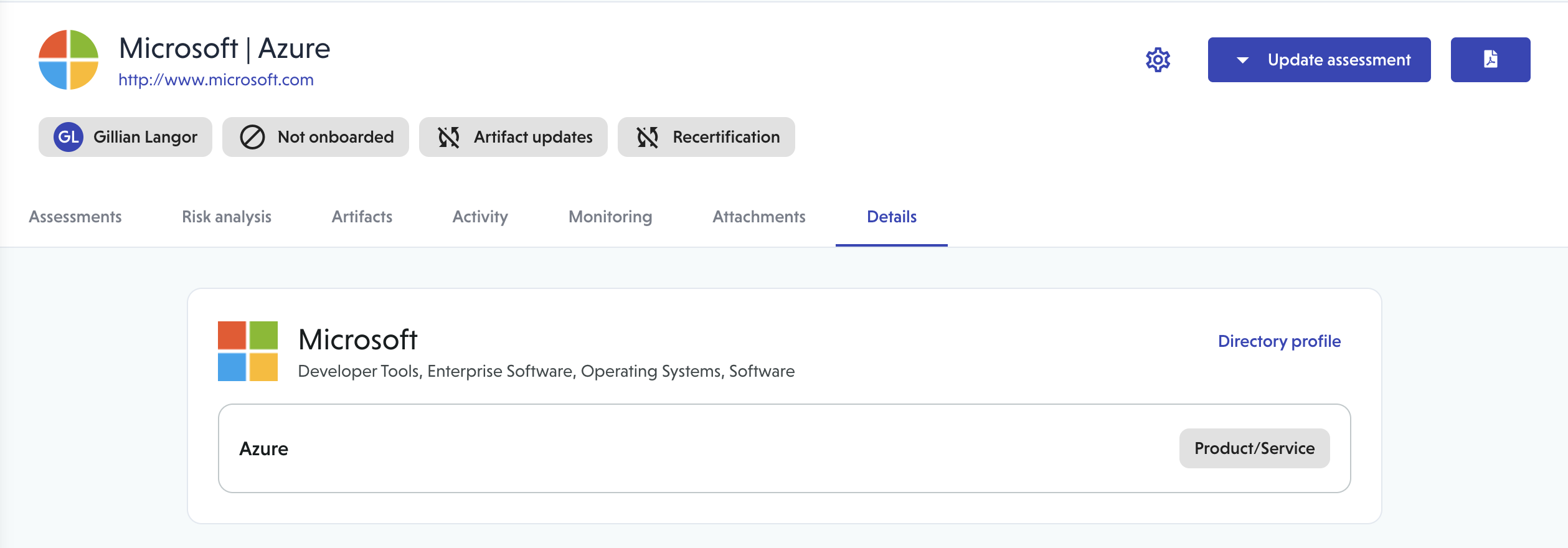
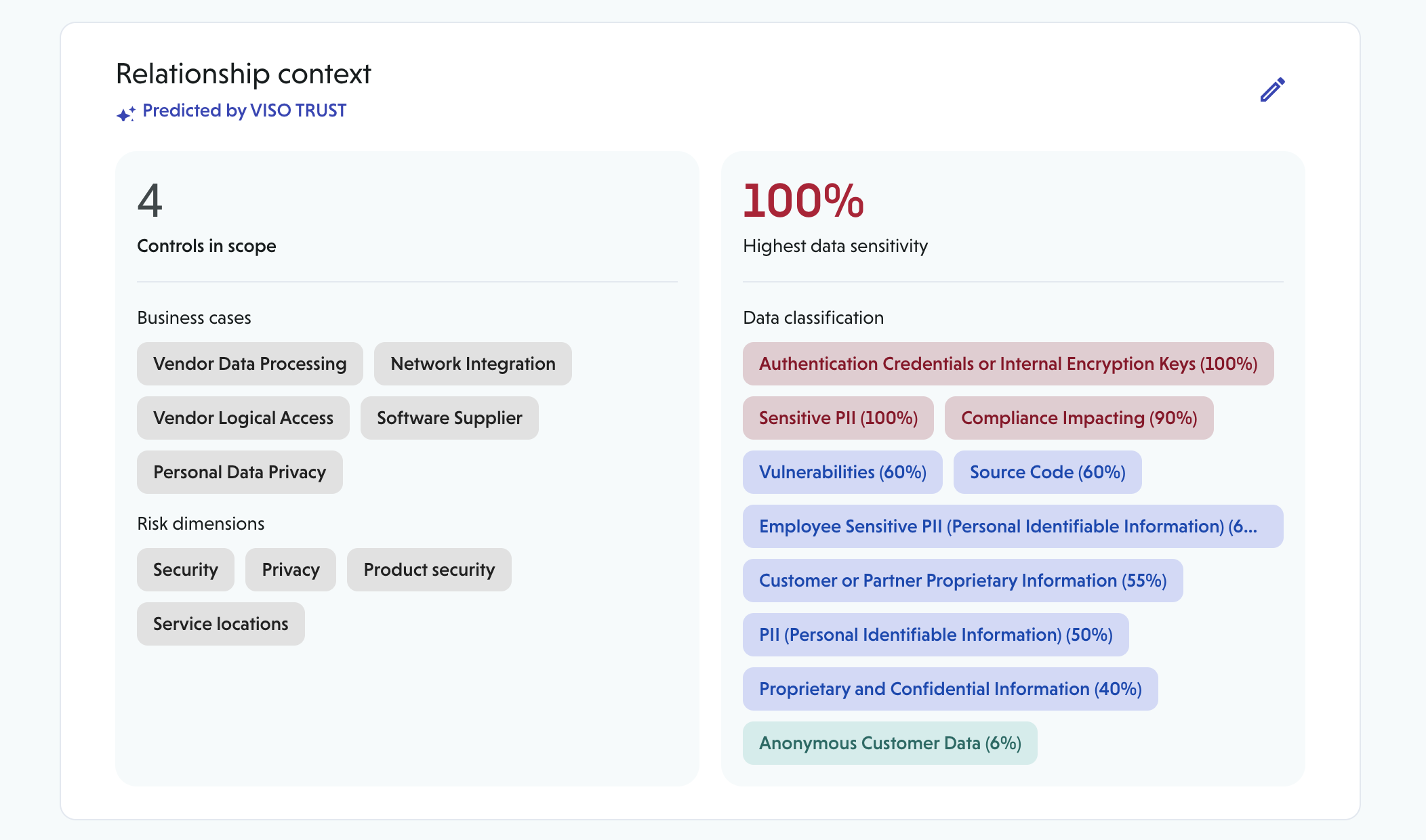
- Artifact Relevance Classification When a product is associated with a relationship, the platform automatically classifies discovered artifacts as:
- Relevant to the specific product/service
- Relevant to the parent organization only
- Not relevant to the assessment
These classifications are predicted automatically using AI and can be reviewed and overridden by your team, with structured reasons recorded for audit purposes.
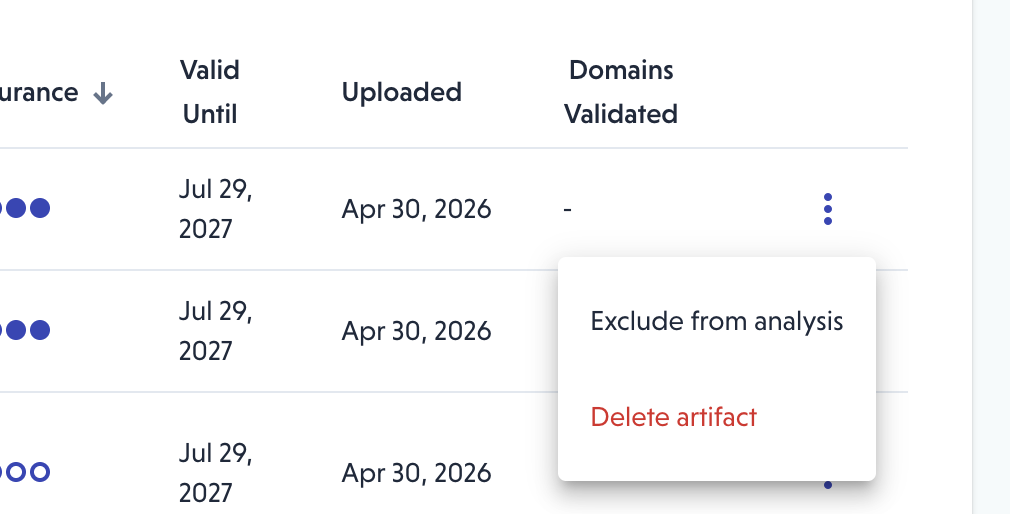
- Artifact Filtering & Navigation The relationship details page includes filter controls for relevance classification, artifact type, and public/private artifacts, making it easy to focus on what's in scope for a given assessment.
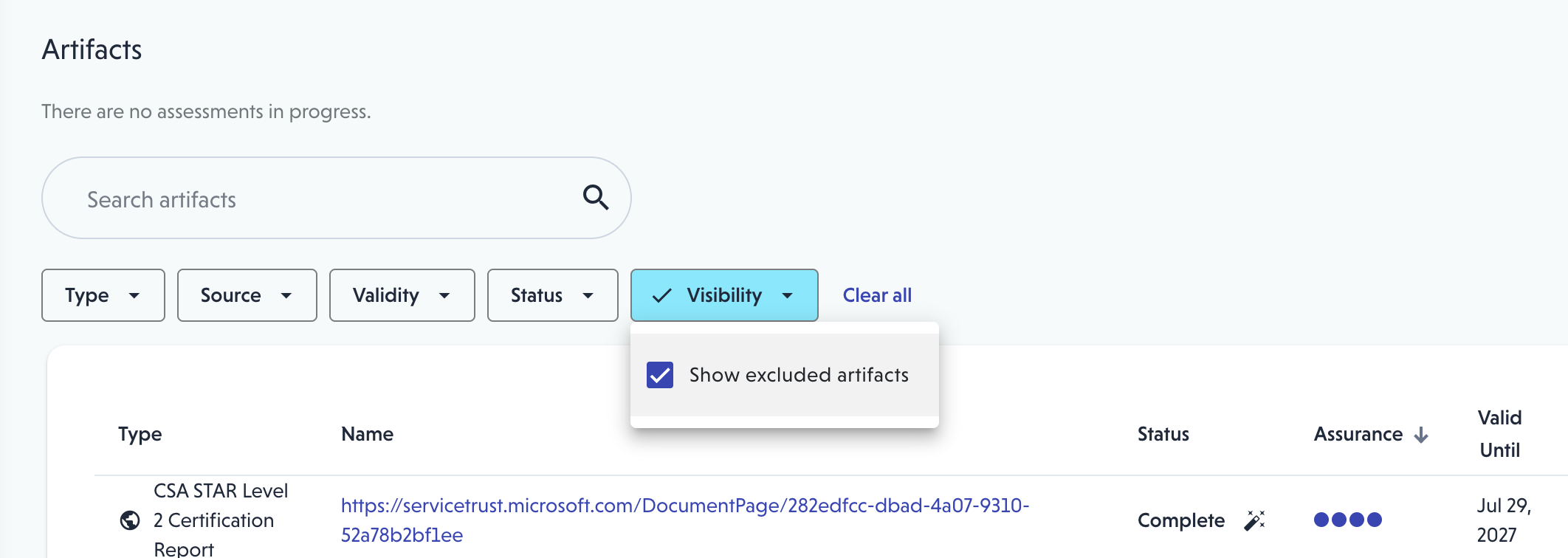
How Artifact Relevance Works
A note on how the classification logic behaves: artifact types that are inherently broad in scope (e.g., Terms of Service, Bug Bounty programs, general security whitepapers) are classified as relevant by default, since they typically apply at the organization level. Artifacts that are more commonly product-specific — such as penetration tests or certification reports (SOC 2, ISO certificates) — are evaluated more carefully, with the system attempting to identify whether the specific product is named within the artifact.
Predictions can always be overridden, and the reason for any override (automatic or manual) is recorded. If a product is later removed from a relationship, any previously excluded artifacts will not be automatically re-included, as there may be other reasons for their exclusion — your team would need to manually review those.
API Integration
VISO TRUST exposes a Client API (/api/v1) that external Integrated Risk Platforms (IRPs) — such as Archer — can call to retrieve structured risk data for vendors in your portfolio. All Client API endpoints require an ORG_ADMIN bearer token.
Vendor Risk Summary (Relationship Roll-Up)
When a vendor has multiple product relationships, these endpoints aggregate risk across all of them and return a consolidated response.
Endpoints
| Method | Path | Lookup by |
|---|---|---|
GET |
/api/v1/vendors/{id}/risk-summary |
VISO vendor ID |
GET |
/api/v1/vendors/risk-summary?name={name} |
Vendor name (case-insensitive) |
GET |
/api/v1/vendors/risk-summary?domain={domain} |
Vendor domain (case-insensitive) |
Response structure
```json
{
  "vendorId": 123,
  "vendorName": "Acme Corp",
  "evaluatedAt": "2026-05-18T10:00:00Z",
  "overallRiskLevel": "High",
  "overallRiskScore": 0.74,
  "relationshipCount": 3,
  "relationships": [
    {
      "relationshipId": 101,
      "productServiceId": "uuid-of-product",
      "productServiceName": "Acme Cloud Platform",
      "assessmentStatus": "COMPLETED",
      "riskLevel": "High",
      "riskScore": 0.74,
      "lastAssessedAt": "2026-04-01T09:00:00Z",
      "controlDomainSummary": [
        { "domain": "access_management", "riskLevel": "High" },
        { "domain": "data_protection", "riskLevel": "Medium" }
      ]
    },
    {
      "relationshipId": 102,
      "productServiceName": "Acme Productivity Suite",
      "assessmentStatus": "COMPLETED",
      "riskLevel": "Low",
      "riskScore": 0.21,
      "lastAssessedAt": "2026-03-15T14:00:00Z",
      "controlDomainSummary": [...]
    }
  ],
  "aggregateControlDomainSummary": [
    {
      "domain": "access_management",
      "highestRiskLevel": "High",
      "affectedRelationships": [101]
    },
    {
      "domain": "data_protection",
      "highestRiskLevel": "Medium",
      "affectedRelationships": [101, 102]
    }
  ],
  "summaryText": "Acme Corp presents elevated risk primarily through its Cloud Platform...",
  "emptySummaryReason": null,
  "summaryGeneratedAt": "2026-05-01T08:00:00Z"
}
How overall vendor risk is determined
VISO does not average risk scores across product relationships. Instead, the highest-risk completed assessment drives the vendor-level score. If Acme's Cloud Platform rates as High and its Productivity Suite rates as Low, the vendor's overallRiskLevel and overallRiskScore reflect the Cloud Platform relationship. This reflects the principle that a compromise of any single vendor service affects your organization's posture.
The aggregateControlDomainSummary shows the worst risk level recorded per control domain across all relationships, along with the relationship IDs where that level was observed — making it straightforward to trace which product drove a particular domain's score.
What the response includes per relationship
Each entry in relationships maps to one product/service relationship and includes:
productServiceId/productServiceName— the specific product scoped to that relationship (null if the relationship has no product assigned)assessmentStatus—STARTED,IN_PROGRESS, orCOMPLETEDriskLevel/riskScore— risk level for that relationship's latest completed assessmentcontrolDomainSummary— per-domain risk breakdown for that relationship
If no completed assessments exist for the vendor, overallRiskLevel and overallRiskScore will be null, summaryText will be null, and emptySummaryReason will contain an explanation (e.g., "No completed assessments").
How Assessment Summaries Are Generated
VISO generates a plain-language narrative summary for each completed assessment using an AI agent. This summary is available both in the VISO UI and via the Client API.
Assessment summary endpoints
Method | Path | Description |
|
| Retrieve the AI-generated summary for a specific assessment |
|
| Download the summary as a PDF report |
|
| Download all artifacts for the assessment as a |
The assessment summary is scoped to the individual relationship — it reflects the artifacts and risk profile specific to that product/service, not the vendor as a whole.
Vendor-level narrative summary
The vendor risk rollup response (/api/v1/vendors/{id}/risk-summary) also includes a summaryText field: an AI-generated narrative that synthesizes risk across all product relationships. This summary is generated once and cached. It is automatically regenerated the next time the rollup is requested after any new assessment is completed for that vendor. The summaryGeneratedAt timestamp indicates when the cached summary was last produced.
IRP Ingestion Behavior
When an external IRP (such as Archer) manages multiple relationships for the same vendor — for example, separate records for different products procured from that vendor — the VISO Client API handles this natively:
- Each VISO relationship corresponds to one product/service scope. When Archer sends data referencing multiple products from the same vendor, each product should map to its own VISO relationship ID.
- Calling
/api/v1/vendors/{id}/risk-summary(or the name/domain variants) returns a single response that covers all relationships for that vendor, with each product's risk broken out underrelationshipsand the aggregate control domain risk underaggregateControlDomainSummary. - The
overallRiskLevelandoverallRiskScorefields provide a single consolidated score suitable for populating a vendor risk field in Archer without further calculation. - Product-specific artifact lists and assessment details can be retrieved per relationship using
/api/v1/assessments/{id}/artifactsand/api/v1/assessments/{id}/summary, where the assessment ID is found in therelationships[].relationshipIdfield of the rollup response (useGET /api/v1/assessments/{id}to fetch the assessment associated with a relationship).